
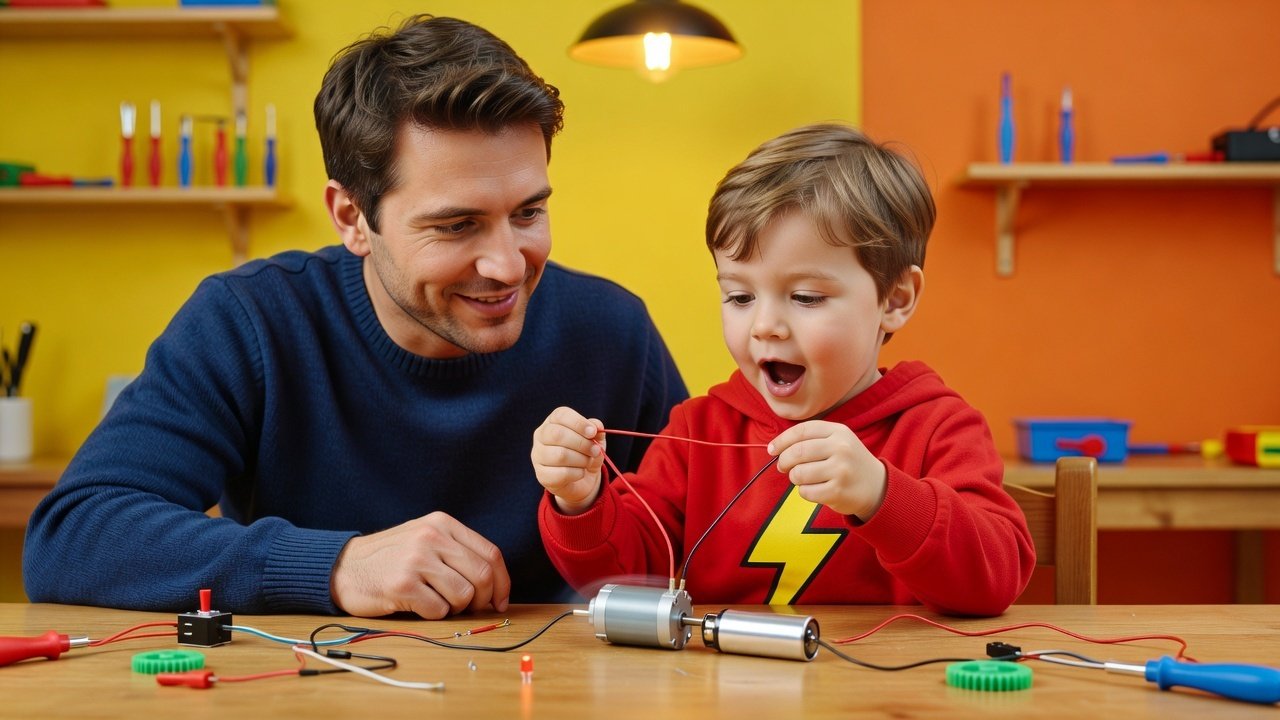
A child should start learning robotics by engaging with physical components: motors, batteries, and simple switches, before writing a single line of code. This hardware-first approach lets them build the foundational understanding of how instructions connect to real-world action. Once they grasp that, block-based coding with kits like LEGO robotics or sequenced Arduino projects can extend that logic into programmable behavior.
Two kids sit at a table. One drags a block that reads "move 10 steps" and watches a cartoon cat slide across a laptop screen. The other holds a nine-volt battery and a small DC motor, touches the two leads together, and watches a bare wheel spin for the first time in her life. Both children just made something happen. Only one of them touched electricity to do it.
The wrong first step most parents take
That difference is the whole argument. When a child shows interest in robots, most parents reach for the same first step: a coding app with a friendly interface, maybe a robot mascot, maybe a badge system that rewards finishing a level. It feels like the responsible, age-appropriate choice. It is also, almost always, the wrong first step if the goal is understanding robotics rather than understanding programming.
Here is the strongest case for starting with the screen, and it deserves a fair hearing before it gets pushed aside. Visual, block-based languages like Scratch teach a child to sequence commands, build loops, and write conditional logic: the kind of "if this happens, then do that" thinking that sits underneath every piece of software ever written, including everything that will eventually run on a real robot. Sites built for exactly this purpose turn that abstract logic into games a young child will actually finish, with immediate visual rewards for getting a loop right. This is genuinely valuable. A seven-year-old who understands what a loop does has a real head start on any future engineer.
But none of it is robotics. It is programming, taught in a sealed box where the only consequence of a mistake is a cat that doesn’t move the way you expected. Nothing burns out. Nothing needs recalibrating. Nothing has weight, friction, or a battery that’s running low. The child never has to ask why the wheel on one side is turning slower than the wheel on the other, because there is no wheel. Robotics, as a discipline, is precisely the set of problems that live in that gap: the gap between the instruction you wrote and the physical object that has to obey it, imperfectly, in a world with gravity and resistance and loose wires.
Why a coding app is not robotics
The common mistake parents make isn’t a bad one. It comes from a reasonable place. A coding game looks safe: no soldering, no small parts to lose, no risk of a battery installed backward. It looks cheap and low-stakes, and it looks like the kind of thing a five-year-old can sit down with immediately. All of that is true, and none of it teaches what a robot actually is. The cost shows up later, when a child who has spent two years mastering block-based logic sits in front of an actual motor, an actual sensor, and an actual circuit board, and has no idea what any of them do, because nothing in their training ever asked them to find out. They know how to sequence steps. They have never had to figure out why a step didn’t execute because a wire came loose.
Hardware first: the right sequence
The fix is not complicated, and it doesn’t require skipping ahead to anything advanced. It means reversing the order most families default to: hardware first, code second, and code only as the thing that controls the hardware, never as a substitute for it. Children can start engaging with real components: motors, batteries, simple switches, well before they can read fluently, and the age most guides for beginner robotics point to for that first hands-on contact is five or six. Not because five-year-olds can wire a circuit board unsupervised, but because touching a motor, watching it spin, and stopping it by breaking the connection is something a five-year-old can do and remember.
Zoom into the version of this that actually counts as understanding robotics, and it looks nothing like a coding game. A guide to building robotics skills from the ground up describes a child assembling a small robot car out of a circuit board, a couple of motors, a sensor or two, and a basic camera, then writing code that lets the finished car navigate on its own. Notice what that involves. The child has to know which wire carries power and which carries a signal, because getting it backward does nothing or does damage. The child has to physically attach a sensor at an angle where it can actually see what it’s supposed to detect, because a perfectly written line of code pointed at a badly placed sensor produces garbage. And only after all of that does the child write the actual instructions, the "if the sensor sees an obstacle, turn right" logic that looks almost identical to what a block-based app teaches. The code is the same kind of thinking either way. What’s different is that here, the code is wired directly into a physical consequence the child can see, touch, and troubleshoot. That direct wire between instruction and object is the entire subject matter of robotics. Skip the wire, and you’ve taught programming with a robot-shaped skin on top.
A practical middle step: LEGO robotics
None of this means throwing a child straight at a bare circuit board with no scaffolding, and this is where the sequencing actually matters. Elementary-age kids commonly get their first real exposure through LEGO robotics kits, which pair block-based coding with physical motors and sensors the child assembles by hand, according to an industry overview of how children typically enter the field. That’s a genuinely good middle step, because the coding interface stays simple and familiar while the output is a real object that moves, turns, and occasionally falls apart in a way that has to be fixed. A gear that isn’t seated right jams the whole build. A sensor mounted upside down reads nothing. Those are small, forgiving failures, and they teach mechanical reasoning that no screen-only tool can.
Going further with Arduino starter projects
From there, the honest recommendation for families ready to go further with an Arduino isn’t to hand a child an open-ended kit and a blank sketch. It’s to start with a sequenced set of starter-kit projects, building up from a single blinking LED to a motor, then to a sensor reading, then to combining sensor and motor into one behavior. Each project adds exactly one new piece of hardware and exactly one new piece of code to control it, so the child always knows which change caused which effect. That sequencing is what block-based coding sites get right in principle and get wrong in practice: platforms like Code.org and Tynker sequence logic beautifully and sequence nothing physical at all, because there’s no physical thing in the loop to sequence. Arduino starter projects fix that by keeping the same one-thing-at-a-time structure, but every single step involves a wire, a component, and a visible, physical result.
If there’s one small action to take before anything else, it’s this: put a real component in your child’s hands, before you open any coding app at all. A single motor, a single battery, a simple switch. Let them complete the circuit themselves and watch the motor turn. Let them break the circuit and watch it stop. That’s not a toy demonstration. It’s the entire foundation robotics is built on, and every block of code they write later is just a more elaborate way of doing the same thing: closing and opening a connection between an instruction and a physical result.
Worth saying plainly: none of the courses built for engineers and robotics teams working on things like custom reinforcement learning environments or computer vision for autonomous systems are built for a curious eight-year-old, and pretending otherwise would be dishonest. Those live at the other end of the same subject, for people who already have the hands-on foundation and are extending it into more advanced territory. What a child needs first is exactly what this article has been arguing for: components, wires, and a robot that visibly does something because of the code, not despite it.
Your one-week challenge
So here’s the challenge, sized for one week, not one semester. Get a simple kit, or just recycled materials, a small motor, a microcontroller, and whatever switches or sensors you can find. Build one motorized robot with your child. Program it to do exactly one thing: roll forward and stop, or stop when it hits something. Don’t aim for autonomous navigation on day one. Aim for the moment your child sees their own line of code make a physical object move, stop moving, and move again. That moment is robotics. Everything after it is just more of the same thing, with better tools.
FAQ
What is the best first step for a child interested in robotics?
The best first step is hands-on exploration with real hardware: a motor, a battery, and a simple switch, so they can see how a physical circuit works before moving to code.
At what age can a child start learning robotics?
Children can start engaging with simple components around age five or six, by touching a motor and making it spin, which builds a memorable, concrete foundation.
Should my child learn coding before building a robot?
No. Starting with screen-only coding teaches programming, not robotics. The physical connection between code and a moving object is the core of robotics, so hardware should come first.
What are good kits for a child's first real robot?
LEGO robotics kits are an excellent middle step, pairing familiar block-based coding with physical motors and sensors. Later, Arduino starter projects offer sequenced, one-component-at-a-time learning.
How do I introduce my child to robotics without overwhelming them?
Begin with one simple, week-long project: build a motorized robot together and program it to do one action, like rolling forward and stopping. This creates a clear, achievable foundation.
Questions left? Get in touch →